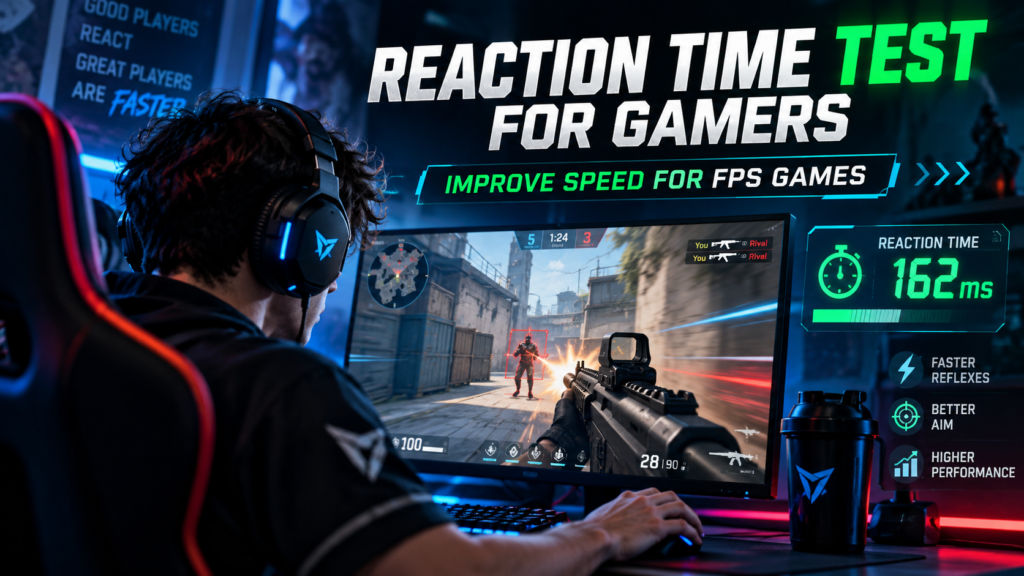
Fast reactions can help in first-person shooter games, but reaction speed alone does not make someone a strong FPS player. Good performance also depends on target identification, crosshair placement, aim control, movement, decision-making, positioning, and accurate click timing.
A Reaction Time Test gives gamers a simple way to measure basic visual response speed and track consistency over time. The most useful approach is to treat this score as one part of a larger training routine rather than as a complete measurement of gaming skill.
What Does a Reaction Time Test Measure for Gamers?
A basic Reaction Time Test measures how quickly you respond after a visual signal appears. You wait for the testing area to change, recognize that change, and then click or press a key as quickly as possible.
A typical simple reaction process looks like this:
- Wait for the visual signal
- Detect the change
- Start the response
- Click or press a key
- Receive the result in milliseconds
FPS games require a longer chain of actions:
See the target → identify the target → choose an action → aim → click → receive the game response
This is why a fast browser reaction score does not automatically mean you will have fast aim or strong FPS performance. The browser test mainly measures the early part of the complete response process.
Reaction Speed vs. FPS Skill
Reaction speed and FPS skill are related, but they are not the same thing. A player can react quickly to a green screen and still struggle when several decisions and movements are required during a real match.
A gamer with a fast reaction score may still lose time because of:
- Poor crosshair placement
- Inaccurate flicks
- Slow target identification
- Excessive mouse movement
- Weak map awareness
- Panic during close-range fights
- Unstable frame rate
- High system latency
- Poor decision-making
Another player may have a slower simple reaction score but perform better because the crosshair is already close to the opponent. Good positioning and anticipation reduce the number of actions required before the shot.
Can FPS Gaming Improve Reaction Time?
Action-game experience may help players become faster at some visual, attentional, and response-selection tasks. However, improvement can depend on the game, practice method, player, and exact skill being measured.
The safest way to judge your own improvement is to track several measures instead of relying on one number. Use reaction time, accuracy, false starts, aim performance, and game-specific drills together.
How to Use a Reaction Time Test for FPS Training
1. Establish a Five-Attempt Baseline
Start by completing five valid attempts on the Reaction Time Test using the device you normally use. Keep the same mouse, monitor, browser, and hand position whenever possible.
Record:
- Average reaction time
- Median reaction time
- Best valid result
- Slowest result
- Consistency
- False starts
- Mouse or keyboard used
- Monitor used
- Time of day
Do not use only your fastest result as the baseline. One unusually fast attempt may be caused by anticipation or lucky timing, while the average and median give you a better picture of the full session.
2. Separate Reaction Practice From Aim Practice
A Reaction Time Test and an aim trainer measure different things. Reaction testing focuses on detecting a signal and starting a response, while aim training adds mouse movement, target acquisition, stopping accuracy, and click timing.
A balanced practice session can include:
- 5 reaction-time attempts
- 5 minutes of static targets
- 5 minutes of target switching
- 5 minutes of moving-target tracking
- A short game-specific warm-up
This approach gives you a clearer picture of both your basic reaction speed and your ability to convert that reaction into accurate FPS movement.
3. Train Choice Reaction
A simple reaction test usually gives one signal and requires one response. FPS games require you to identify what appeared and then choose the correct action.
Examples of choice-reaction drills include:
- Red target → press A
- Blue target → press S
- Green target → press D
- Enemy target → click
- Friendly target → do not click
- Left arrow → move left
- Right arrow → move right
The goal is not simply to respond faster. A slightly slower correct action is more useful than a very fast incorrect input.
4. Improve Crosshair Placement
Good crosshair placement reduces the amount of mouse movement required after an opponent appears. This can make your complete response faster even if your basic visual reaction time has not changed.
Keep the crosshair:
- Near likely opponent positions
- Around expected head or upper-body height
- Close to corners before peeking
- Away from the floor during normal movement
- Positioned toward the area you expect to check next
Poor placement forces you to make a large movement after detecting the opponent. Strong placement lets you make a smaller correction and click sooner.
5. Practice Target Acquisition
Target acquisition includes detecting the target, moving toward it, stopping accurately, and preparing to fire. It combines reaction speed with controlled mouse movement.
Useful drills can include:
- Random target positions
- Different target sizes
- Short appearance times
- Multiple possible targets
- Targets near screen edges
- Targets appearing at different heights
Do not increase speed until your movement remains controlled. Fast movement that consistently misses the target is not a useful improvement.
A good training rule is: recognize quickly, move efficiently, stop accurately, then click.
6. Train Speed and Accuracy Together
A faster response is not automatically better when accuracy decreases. The goal is to improve speed without creating more mistakes, rushed shots, or false starts.
| Session | Response Speed | Accuracy | Interpretation |
|---|---|---|---|
| A | Faster | Lower | Speed improved, control decreased |
| B | Slightly faster | Stable | Useful improvement |
| C | Similar | Higher | Better control |
| D | Much faster | Many false starts | Possible anticipation |
Track both speed and accuracy during training. The greatest improvement is normally a faster response with stable or better control.
7. Use a Short FPS Warm-Up
A warm-up should prepare your attention and mouse control without making your hand tired before the match. Keep it short enough that performance remains sharp.
12-Minute FPS Warm-Up
Minutes 1–2: Reaction Time Test
Complete one practice attempt and five recorded attempts.
Minutes 3–5: Static Targets
Click stationary targets while keeping your accuracy stable.
Minutes 6–8: Target Switching
Move between several targets and focus on clean stops.
Minutes 9–10: Tracking
Follow a moving target smoothly without unnecessary corrections.
Minutes 11–12: Game-Specific Practice
Use the weapon or movement pattern you expect to play in the match.
Stop or shorten the routine if your hand becomes tense or your accuracy begins to fall. The goal is preparation, not exhaustion.
8. Reduce Avoidable System Latency
Gaming response time includes more than the player’s reaction. Your mouse, game engine, CPU, GPU, display, operating system, and frame timing can all contribute to how responsive the game feels.
For a more consistent setup:
- Maintain a stable frame rate
- Use the monitor’s intended refresh rate
- Close unnecessary background applications
- Pause large downloads during competitive play
- Keep mouse software and drivers stable
- Check wireless-device battery levels
- Use the same setup when comparing results
Do not expect one hardware or software setting to suddenly transform every score. Your final experience is the result of both human response and system processing.
For a deeper explanation of browser and device delay, read How Accurate Is an Online Reaction Time Test?.
9. Keep Mouse Sensitivity Consistent
Constantly changing sensitivity makes it difficult to build predictable mouse movement. Pick a setting that lets you turn comfortably while still making small corrections and accurate stops.
A useful sensitivity should allow you to:
- Turn comfortably
- Track moving targets
- Make small corrections
- Stop without overshooting
- Control both close and long-range fights
Sensitivity does not determine how quickly you notice the target. It affects how much physical movement is required after you have already detected it.
10. Improve Peripheral Awareness
Opponents do not always appear directly under the crosshair. Good players also need to notice movement and visual changes outside the center of the screen.
Practice noticing:
- Movement near screen edges
- Targets outside the center
- Brief visual changes
- Multiple target locations
- Movement behind other objects
- Changes in different visual zones
Do not stare so narrowly at the crosshair that you ignore the rest of the scene. Keep the crosshair as your aiming reference while maintaining awareness of the surrounding area.
11. Practice Game-Specific Scenarios
Different FPS games reward different combinations of reaction speed, aiming, movement, and decision-making. Your training should reflect the type of game you actually play.
Tactical Shooters
Focus on:
- Holding angles
- Small crosshair corrections
- Target identification
- First-shot accuracy
- Stop-and-shoot timing
Fast Arena Shooters
Focus on:
- Rapid target switching
- Vertical tracking
- Close-range movement
- Fast direction changes
- Continuous visual scanning
Battle-Royale FPS Games
Focus on:
- Targets at different distances
- Tracking during movement
- Switching between near and distant targets
- Reacting after leaving cover
- Managing multiple threats
Sniper-Focused Practice
Focus on:
- Small precision movements
- Controlled click timing
- Target confirmation
- Avoiding rushed shots
- Repositioning after firing
Game-specific practice helps connect simple reaction speed with the decisions and movements required in real matches.
12. Track Trends Instead of Personal-Best Clicks
One personal-best result does not tell you whether your overall performance has improved. A weekly log makes it easier to see repeated changes.
| Week | Average | Median | Best | Accuracy | False Starts | Setup |
|---|---|---|---|---|---|---|
| 1 | — | — | — | — | — | Baseline |
| 2 | — | — | — | — | — | Same setup |
| 3 | — | — | — | — | — | Same setup |
| 4 | — | — | — | — | — | Review |
Also record at least one FPS-specific metric:
- Target accuracy
- Drill completion time
- Successful target switches
- Hits on moving targets
- First-shot accuracy
- Incorrect responses
Your reaction-test score may improve while your aim stays the same. Your aim can also improve even when your simple reaction score changes very little.
Seven-Day FPS Reaction Training Plan
| Day | Main Focus | What to Do |
|---|---|---|
| Day 1 | Baseline | Complete five reaction attempts and one short aim drill |
| Day 2 | Target Acquisition | Practice random targets and accurate stopping |
| Day 3 | Choice Reaction | Use directional or enemy/friendly response drills |
| Day 4 | Crosshair Placement | Practice common angles and likely target positions |
| Day 5 | Tracking & Switching | Combine moving targets with target switching |
| Day 6 | Match-Specific Warm-Up | Practice your usual weapon and engagement range |
| Day 7 | Retest | Repeat Day 1 and compare results |
Do not judge the entire week by one very fast attempt. Compare averages, accuracy, false starts, and game-specific performance.
Recommended Gamer Testing Setup
Before recording a session that you plan to compare later, keep the testing environment as consistent as possible.
Use this checklist:
- Same computer or device
- Same monitor
- Correct refresh rate
- Same mouse or keyboard
- Same mouse sensitivity
- Cursor inside the test area
- Unnecessary tabs closed
- Background downloads paused
- Comfortable wrist position
- One or two warm-up attempts
- Five recorded attempts
- No intentional signal prediction
A consistent setup makes your own week-to-week comparison more meaningful.
How to Interpret Gamer Reaction Test Results
Do not ask only, “What was my fastest score?” A better review looks at the complete session and asks whether your typical performance is becoming more stable.
Check:
- Did my average improve?
- Did my median improve?
- Did accuracy remain stable?
- Did false starts decrease?
- Were the attempts more consistent?
- Did aim drills also improve?
- Did I use the same setup?
- Did the change continue across several sessions?
For detailed score interpretation, read What Is a Good Reaction Time? Average Scores Explained.
For age-related comparisons, read Average Human Reaction Time by Age.
For general training methods, read How to Improve Your Reaction Time Test Score.
Common Gamer Training Mistakes
Treating Reaction Time as the Only FPS Skill
Fast detection does not replace aim, movement, positioning, game knowledge, or decision-making. Use reaction testing as one measurement rather than as a complete gaming score.
Predicting the Signal
Anticipating the signal can create unrealistically fast attempts and false starts. Respond only after the visual change actually appears.
Practicing Speed Without Accuracy
Fast incorrect clicks encourage rushed behavior. Increase speed only while accuracy remains controlled.
Changing Sensitivity Constantly
Frequent sensitivity changes make progress harder to evaluate. Keep a setting long enough to understand whether it actually works for you.
Comparing Different Devices
A gaming mouse, keyboard, touchscreen, and trackpad do not provide identical input conditions. Compare sessions recorded with the same equipment.
Training Until Performance Drops
Long sessions can reduce attention and increase tension. Stop or take a break when accuracy and control begin to decline.
Copying Another Player’s Setup
A professional player’s settings may not match your hand movement, desk space, screen, or playing style. Use settings that let you move comfortably and consistently.
Frequently Asked Questions
Does a Reaction Time Test make you better at FPS games?
It can help measure and practice a basic visual response, but it does not train every FPS skill. Combine it with aiming, tracking, target switching, crosshair placement, and game-specific decisions.
What is a good Reaction Time Test score for a gamer?
There is no single browser-test score that makes someone a good gamer. Hardware, input method, test design, practice, and individual variation all affect the result.
Use your average and median to compare your own progress. For score ranges, read What a Good Reaction Time Is?.
Do professional gamers always have extremely fast reaction times?
Not necessarily. Competitive performance also depends on positioning, anticipation, crosshair placement, accuracy, communication, decision-making, and game knowledge.
A fast browser score alone does not prove professional-level FPS ability.
Can playing FPS games improve reaction time?
Gaming practice may improve performance on some visual and response-selection tasks, but improvement does not automatically transfer to every reaction task. The most reliable way to judge yourself is to track the specific skills you practice.
Is an aim trainer better than a Reaction Time Test?
They measure different skills. A Reaction Time Test focuses on detecting a signal and starting a response, while an aim trainer adds target acquisition, mouse movement, and accuracy.
Use both when your goal is FPS improvement.
Why is my reaction score fast but my aim is slow?
Your visual response may be fast while crosshair movement, target identification, stopping accuracy, or sensitivity control still needs work. These are separate parts of the complete FPS response.
Does a higher monitor refresh rate improve reaction time?
A higher refresh rate allows new frames to appear more frequently and can make the visual experience feel more responsive. The full result still depends on frame rate, display processing, input latency, and your own reaction.
Does mouse sensitivity affect reaction time?
Sensitivity does not directly determine how quickly you notice a signal. It changes the physical movement required to place the crosshair on the target after detection.
Why do my results change between sessions?
Attention, fatigue, hand position, display behavior, input latency, background activity, and normal variation can all change the result. Compare several sessions before deciding whether your baseline has changed.
Is a gaming Reaction Time Test a medical assessment?
No. It is a general browser-based performance tool and should not be used as a medical, neurological, driving, employment, or professional assessment.
Conclusion
A Reaction Time Test for gamers is most useful when it is treated as one part of a complete FPS training routine. Use it to measure basic visual response speed and consistency, then combine it with choice reaction, target acquisition, crosshair placement, tracking, accurate click timing, and game-specific practice.
Keep your setup consistent, avoid predicting the signal, and compare averages across multiple sessions instead of chasing one personal-best click. The real goal is not only to react faster, but to recognize the correct target, choose the right action, aim efficiently, and respond accurately.