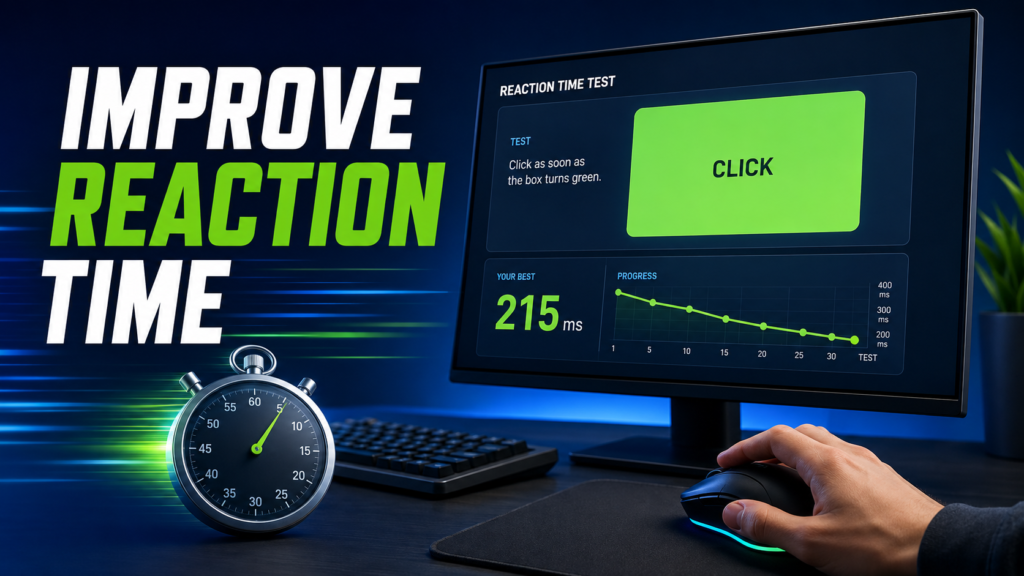
Improving your Reaction Time Test score is not about clicking randomly or trying to predict when the signal will appear. Better results usually come from focused practice, a consistent setup, good attention, and comparing several valid attempts instead of chasing one unusually fast click.
Your displayed score can also change because of your monitor, mouse, touchscreen, browser, operating system, sleep, hand position, and distractions. The goal should therefore be to create repeatable testing conditions and improve your average performance over time.
Start With a Reaction Time Baseline
Before changing your routine, complete a full session on the Reaction Time Test and record five valid attempts.
Track:
- Average reaction time
- Median reaction time
- Best valid attempt
- Slowest attempt
- Consistency
- False starts
- Device used
- Input method
- Time of day
A baseline gives you something meaningful to compare against later. Without one, it is difficult to know whether your typical performance has improved or whether you simply received one lucky result.
1. Use the Same Device and Input Method
Keep your testing setup as consistent as possible.
Do not directly compare a touchscreen result with a mouse result because the devices and physical movements are different.
Choose one main setup, such as:
- Desktop with mouse
- Laptop with external mouse
- Laptop trackpad
- Smartphone touchscreen
- Tablet touchscreen
Use the same browser, display, input device, and hand position when you want to measure progress.
This does not automatically make your natural reaction faster. It reduces technical variation so changes in your results are easier to interpret.
Disclosure: Some of the links in this article are affiliate links. If you buy through them, we may earn a small commission at no extra cost to you — and as an Amazon Associate, we earn from qualifying purchases.
Your gear sets the floor for your score: a proper gaming mouse and a 144Hz gaming monitor cut input and display delay, so the time you measure is yours, not your hardware’s. Check the current price on Amazon before you buy.
2. Complete a Short Warm-Up
Your first attempt may be slower because you are still positioning your hand, focusing on the screen, or becoming familiar with the test.
A simple warm-up can include:
- Relax your shoulders and wrist
- Look at the testing area
- Complete one practice attempt
- Adjust your hand position
- Start the recorded session
Keep the warm-up short.
Completing dozens of attempts before your real session can reduce concentration and make the later results harder to compare.
3. Keep Your Hand Ready
Extra hand movement can increase the time between seeing the signal and registering the response.
For mouse testing:
- Rest your index finger lightly on the button
- Keep your wrist comfortable
- Keep the cursor inside the test area
- Avoid gripping the mouse tightly
- Do not reposition the mouse while waiting
For touchscreen testing:
- Keep the device stable
- Keep your finger close to the testing area
- Use the same finger every time
- Avoid movements that could cause accidental taps
The goal is a small, controlled response rather than a large arm or hand movement.
4. Focus on the Signal, Not the Timer
Trying to guess when the screen will change often creates false starts.
Keep your attention on the testing area and respond only after the visual change actually appears.
A useful approach is:
- Look near the center of the test area
- Keep the full color field in view
- Ignore surrounding text
- Do not watch the cursor
- Avoid counting the waiting time
- Respond only after the signal changes
A clean 220 ms response is more useful than a 150 ms score caused by anticipation.
5. Practice in Short Sessions
More attempts do not always produce better training.
Long sessions can create fatigue, frustration, and loss of concentration.
A useful session might contain:
- 1 practice attempt
- 5 recorded attempts
- Short break
- Optional second set of 5 attempts
For many users, several short sessions across the week are more useful than testing continuously for 30 minutes.
Stop when your attention starts falling, or false starts begin increasing.
6. Stop Chasing Your Fastest Score
Your best result is interesting, but it does not necessarily represent your normal reaction speed.
Imagine these attempts:
| Attempt | Result |
|---|---|
| 1 | 221 ms |
| 2 | 226 ms |
| 3 | 230 ms |
| 4 | 235 ms |
| 5 | 174 ms |
The 174 ms result may be genuine, but the other four attempts show that the session usually sits above 220 ms.
A better progress check uses:
- Average
- Median
- Consistency
- False starts
- Several sessions
For help interpreting your numbers, read What Is a Good Reaction Time? Average Scores Explained.
7. Remove Distractions
Reaction testing requires focused attention.
Before testing:
- Silence notifications
- Close messaging apps
- Pause downloads
- Close unnecessary browser tabs
- Stop background videos
- Reduce interruptions
- Keep the test tab active
Even a brief distraction can add noticeable delay to one attempt.
Use a quiet and comfortable setup when recording results that you plan to compare later.
8. Train Simple and Choice Reactions Separately
A standard color-change test measures simple reaction time.
You see one expected signal and perform one expected response.
Choice-reaction tasks are different because you must identify the signal and choose between several actions.
Examples include:
- Different keys for different colors
- Click only when a certain shape appears
- Respond to green but ignore red
- Move left or right based on an arrow
Do not compare choice-reaction scores directly with simple reaction scores.
Choice tasks require extra identification and decision-making.
9. Add Activity-Specific Practice
A browser Reaction Time Test measures a basic visual response, but real activities usually require more movement or decision-making.
For gamers, useful practice can include:
- Target switching
- Moving-target tracking
- Crosshair placement
- Accuracy under time pressure
- Game-specific visual cues
For gaming-specific training, read Reaction Time Test for Gamers: Improve Speed for FPS Games.
For general coordination, you can also use catching drills, light movement exercises, or simple hand-eye coordination activities.
The important point is to train the activity you actually want to improve.
10. Get Consistent Sleep and Rest
Tiredness can reduce attention and make your responses less consistent.
For fairer testing:
- Follow a regular sleep schedule when possible
- Avoid comparing a rested session with a very tired session
- Record whether you felt fatigued
- Retest another day if tiredness clearly affected performance
Sleep should not be treated as a trick for producing one fast score.
It is part of maintaining normal conditions for attention and response quality.
11. Keep Your Body Comfortable
Regular movement and a comfortable testing position can help you avoid unnecessary tension.
Before testing, a light warm-up may include:
- Short walk
- Gentle shoulder movement
- Wrist movement
- Finger movement
- Light stretching
Avoid beginning immediately after exhausting exercise if your hands are shaky or your breathing is still heavy.
Wait until you feel comfortable and controlled.
12. Track Weekly Trends
Improvement becomes easier to see when you record your results over time.
Use a simple log:
| Week | Device | Average | Median | Best | False Starts | Notes |
|---|---|---|---|---|---|---|
| 1 | Desktop mouse | — | — | — | — | Baseline |
| 2 | Desktop mouse | — | — | — | — | Focus practice |
| 3 | Desktop mouse | — | — | — | — | Short sessions |
| 4 | Desktop mouse | — | — | — | — | Review |
Compare weekly averages instead of repeatedly testing until you get the score you want.
Progress may not happen in a straight line.
Some sessions will naturally be faster or slower.
Seven-Day Reaction Time Practice Plan
| Day | Focus | Practice |
|---|---|---|
| Day 1 | Baseline | 1 warm-up + 5 recorded attempts |
| Day 2 | Setup | Improve hand, screen, browser, and notification setup |
| Day 3 | Focus | 5–10 clean attempts without predicting |
| Day 4 | Choice Reaction | Short color, arrow, or key-response drill |
| Day 5 | Activity-Specific | Gaming or coordination practice |
| Day 6 | Light Practice | 5 clean attempts with zero false starts |
| Day 7 | Retest | Repeat Day 1 and compare results |
One week can improve familiarity and consistency, but longer-term progress should be judged across several weeks.
Common Mistakes That Can Make Your Score Worse
Avoid these common problems:
Testing for Too Long
Long sessions can reduce concentration and make attempts more inconsistent.
Clicking Before the Signal
Prediction creates false starts instead of a genuine visual response.
Changing Devices Constantly
Switching between phone, mouse, touchscreen, and trackpad makes progress harder to interpret.
Testing While Distracted
Notifications, conversations, videos, and browser activity can divide your attention.
Using Only Your Best Result
One personal best does not represent your typical response speed.
Comparing Different Test Types
Simple, choice, gaming, audio, and sports reaction tasks measure different processes.
For more information about technical testing differences, read How Accurate Is an Online Reaction Time Test?.
How to Know Whether You Are Improving
Look for several changes together:
- Average becomes gradually faster
- Median improves across sessions
- Slow attempts become less extreme
- Results become more consistent
- False starts decrease
- Performance remains stable across different days
- You feel less hesitant
- Activity-specific performance also improves
Do not expect every session to beat the previous one.
A repeated trend across several sessions is more useful than one exceptionally fast day.
You can also compare broad age-related trends in Average Human Reaction Time by Age.
Frequently Asked Questions
How often should I practice?
Three or four short sessions per week can be a reasonable starting routine. Stop when attention or accuracy begins to fall.
How many attempts should I complete?
Complete at least five valid attempts so you can calculate an average and median. One or two five-attempt sets are usually enough for a short session.
Can repeatedly taking the test improve my score?
Repeated testing can improve familiarity with the task. However, it may mainly improve performance on that specific test rather than every real-world activity.
Why does my score change every day?
Sleep, attention, hand position, device delay, browser performance, distractions, and normal variation can all affect a session.
Should I track my fastest score or average?
Track both, but use the average and median as your main progress measures.
Why am I getting more false starts?
You may be trying to predict the signal. Stop counting the waiting time and respond only after the visible change.
What should I do when progress stops?
Take a short break, reduce training volume, check sleep and distractions, and return to controlled five-attempt sessions.
Is an online Reaction Time Test a medical assessment?
No. It is a general performance tool intended for personal comparison, not medical, neurological, driving, employment, or professional assessment.
Conclusion
Improving your Reaction Time Test score is mainly about clean practice, consistent testing conditions, focused attention, and reliable progress tracking. Keep your device and input method stable, use short sessions, avoid prediction, and compare averages instead of chasing one personal-best click.
Start with a five-attempt baseline on the Reaction Time Test, then repeat the same process over several weeks. A gradually improving average, better consistency, and fewer false starts are stronger signs of progress than one unusually fast result.